
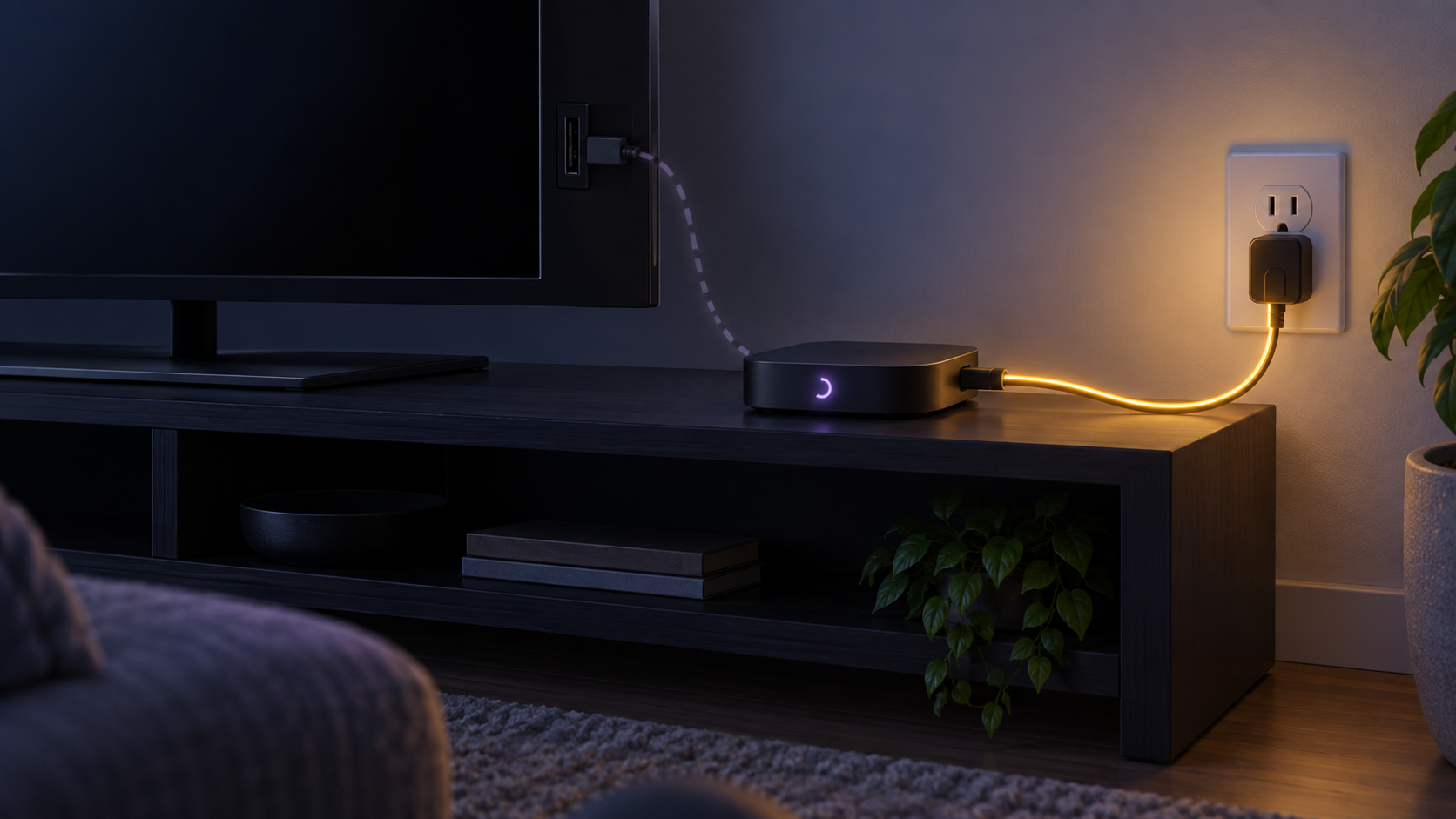
A restart that happens only when a television wakes up often points to the way the Roku player is powered, not necessarily to a fault. Check the power source before changing settings or attempting a device reset.
Why the restart happens
Many televisions stop powering their USB ports when they are turned off or enter standby. If the Roku player gets its power from that USB port, it loses power too. The next time the television wakes up and the USB port becomes active, the player boots as though it has just been plugged in.
Roku describes this as an expected result of powering the player from the television. The key clue is the timing: the restart follows the television turning on, rather than appearing at random while the television is already on.
Check the current power connection
- Locate the power cable connected to the Roku player.
- See whether its other end is connected to a USB port on the television or to a wall-power adapter.
- Turn the television off, wait briefly, then turn it on again and observe whether the player restarts at the same point.
If the power cable is connected to the television’s USB port and the restart is repeatable only when the television wakes, the explanation is likely the TV’s USB power behavior.
When a wall-power connection can help
For Roku players that are designed to use a wall-power adapter, connecting through the appropriate power adapter can keep the player powered independently of the television’s USB state. Use the power arrangement supplied with the product or specified in Roku’s official documentation for your exact model.
When it may be a different problem
This explanation does not cover restarts that happen while the television is already on, restarts at unrelated times, or a player that cannot stay powered. In those cases, the TV-USB power relationship may not be the cause. Check the player’s power connection, cable condition and current system software, then follow the device maker’s support guidance for the specific behavior.
A factory reset is not the first response to a predictable reboot that occurs only when the television powers on. First identify whether the television is controlling the player’s power.
A quick checklist
- Notice whether the reboot happens only when the television turns on.
- Check whether the Roku player is powered by the television’s USB port.
- Confirm the behavior by turning the television off and on once.
- Use the official, model-appropriate power setup if independent wall power is supported.
- Treat unrelated or repeated restarts as a separate troubleshooting issue.
Official source
For Roku’s explanation of television USB power and player restarts, see:
Frequently asked questions
Why does my Roku restart when I turn on the television?
If it is powered by the television’s USB port, the player may have lost power while the television was off and is starting again when USB power returns.
Does every Roku restart indicate a device fault?
No. A restart that matches the television’s power cycle can be a normal startup caused by the television’s USB power behavior.
Should I reset the Roku player first?
No. Check the power source first when the reboot happens predictably as the television turns on.